Viewing the Transaction Lifecycle
You can drill down to view detailed transaction lifecycle information. This is where you compare authorization and presentment transactions where a match exists. You can also view details of a presentment transaction where no match exists.
How to View the Transaction Lifecycle
-
Click the Transaction Matching Quick Actions button from the Automated Back Office dashboard. Alternatively, click the
 icon on the left-hand side to bring up the menu, followed by Finance > Transaction Matching. The Transaction Matching screen appears.
-
Click a transaction entry. A transaction entry appears.
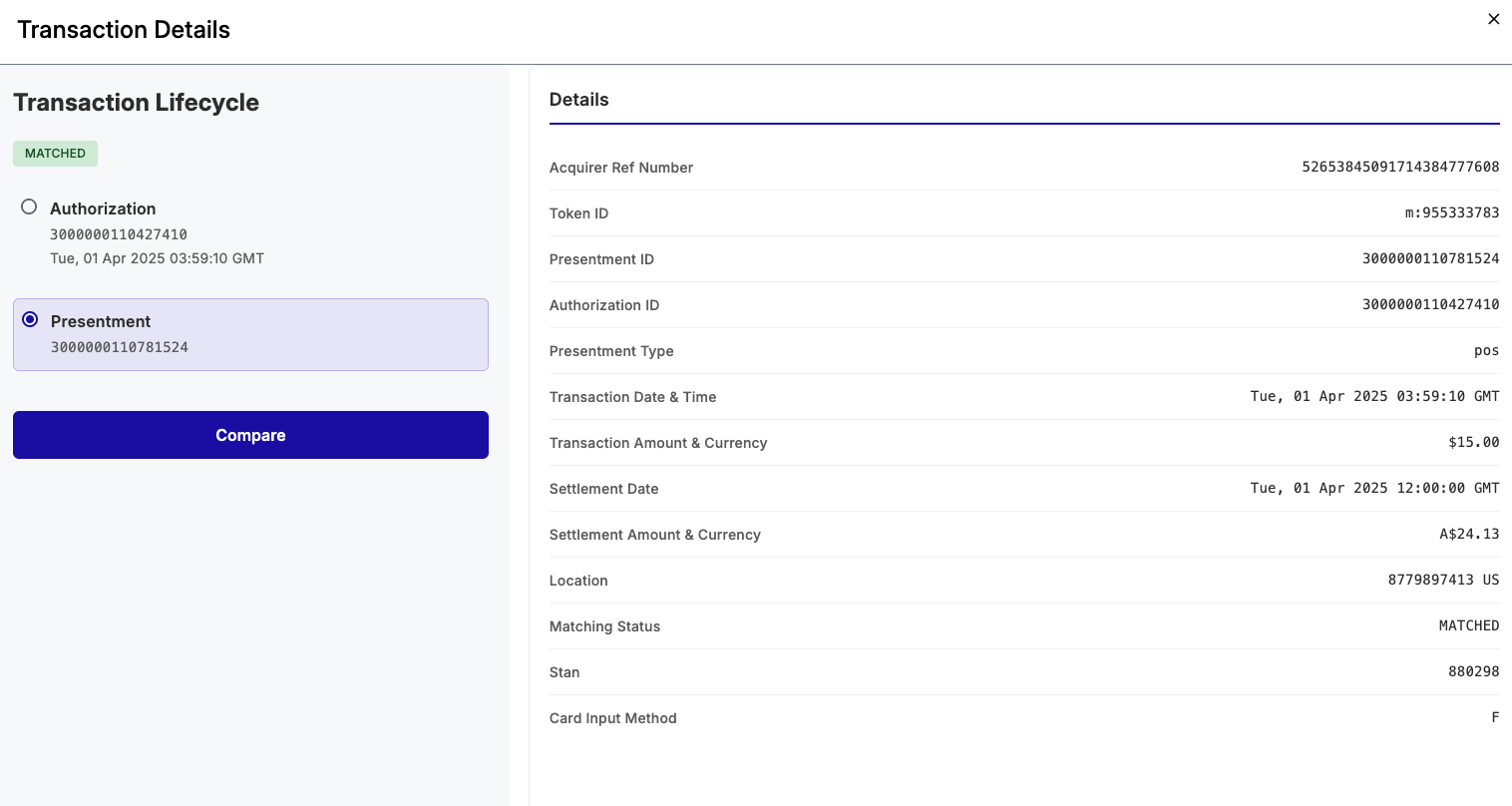
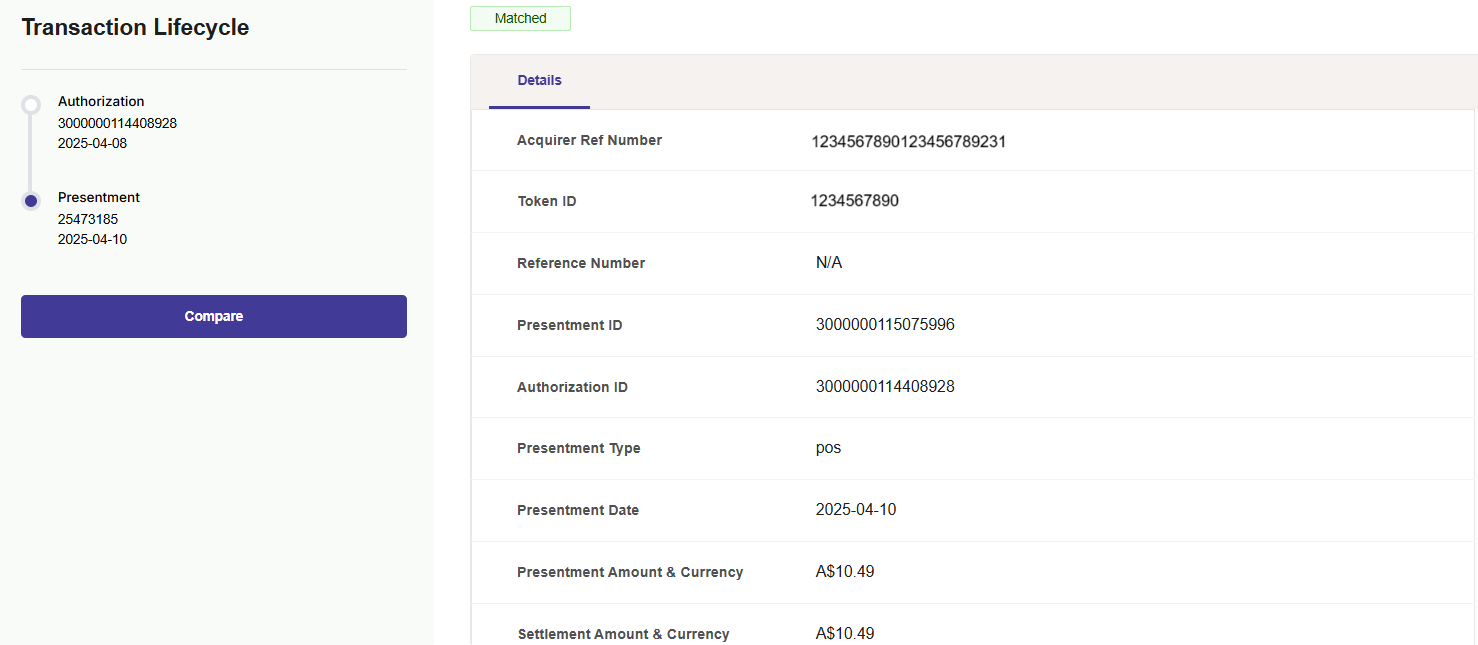
The left-hand section allows you to compare a presentment with the related authorization, and vice-versa. The right-hand section shows you the details of the authorization and the presentment.
-
To view a comparison of the authorization and presentment details
-
Click the Authorization or Presentment button.
-
Click Compare.
-
-
To return to the previous screen, click Cancel.
The middle and right panes show a comparison between the presentment and the authorization for each field. For a description of the fields see Transaction Matching Fields.
Viewing Unmatched Transactions
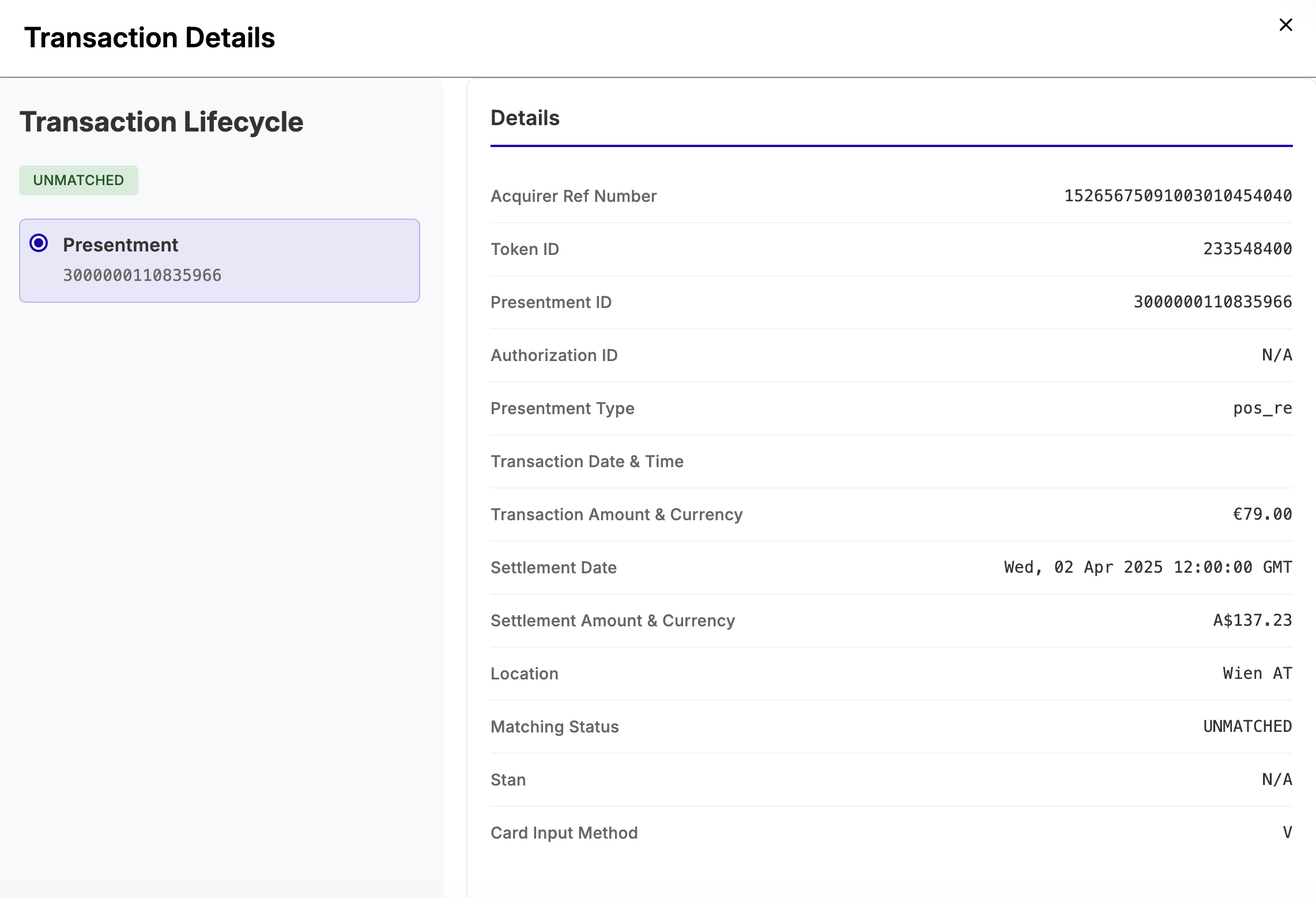
In the Transaction Matching page, click an unmatched transaction entry. The Transaction Details screen appears. For an unmatched transaction, there is only one item for presentment, since the original authorization is not found. The following shows an example.
Transaction Matching Fields
The following table provides details on the fields that appear for a transaction with the status of Matched or Unmatched.
|
Field |
Description |
|---|---|
|
Acquirer Ref Number |
The 23-digit Acquirer Reference Number (ARN), which uniquely identifies the Acquiring bank. |
|
Token ID |
The token ID of the card. |
|
Presentment ID |
Scheme ID for the presentment message. |
|
Authorization ID |
Scheme ID for the authorization message. |
|
Presentment Type |
The system used for the presentment. |
|
Transaction Date & Time |
The date and time of the original transaction. The date is in the following format: YYYY-MM-DD. Time is in the format of HH:SS:MM. |
|
Transaction Amount & Currency |
The amount of the original transaction and currency. |
|
Settlement Date |
The date in which the transaction was settled. The date is in the following format: YYYY-MM-DD. |
|
Settlement Amount & Currency |
The settlement amount in the Issuer's settlement currency. |
|
Location |
The country where the transaction occurred (e.g., Australia). |
|
Matching Status |
The status of the transaction matching, Matched or Unmatched. |
|
Stan |
This is the System Trace Audit Number, a unique identifier assigned to a transaction for tracing and auditing. |
|
Card Input Method |
The card input method of the transaction. For example, E means Contactless magnetic stripe. |