Viewing the Transaction Lifecycle
You can drill down to view detailed transaction lifecycle information for a transaction. A typical transaction goes through an event lifecycle, which reflects the status of the transaction. For more information, see Appendix 3: Transaction Lifecyle Examples.
How to view the Transaction Lifecyle
-
Log in to your account at: https://backoffice.thredd.com/login/
-
Select Finance > Reconciliation > Transaction Matching from the menu.
-
In the Transaction Matching page, Click the
 icon for the record you want to view.
 -
To view a comparison of the authorization details and the transaction settlement details, click Compare. See the example below.
-
To return to the previous screen, click Cancel.

The Transaction Lifecyle screen is displayed. See the example below.
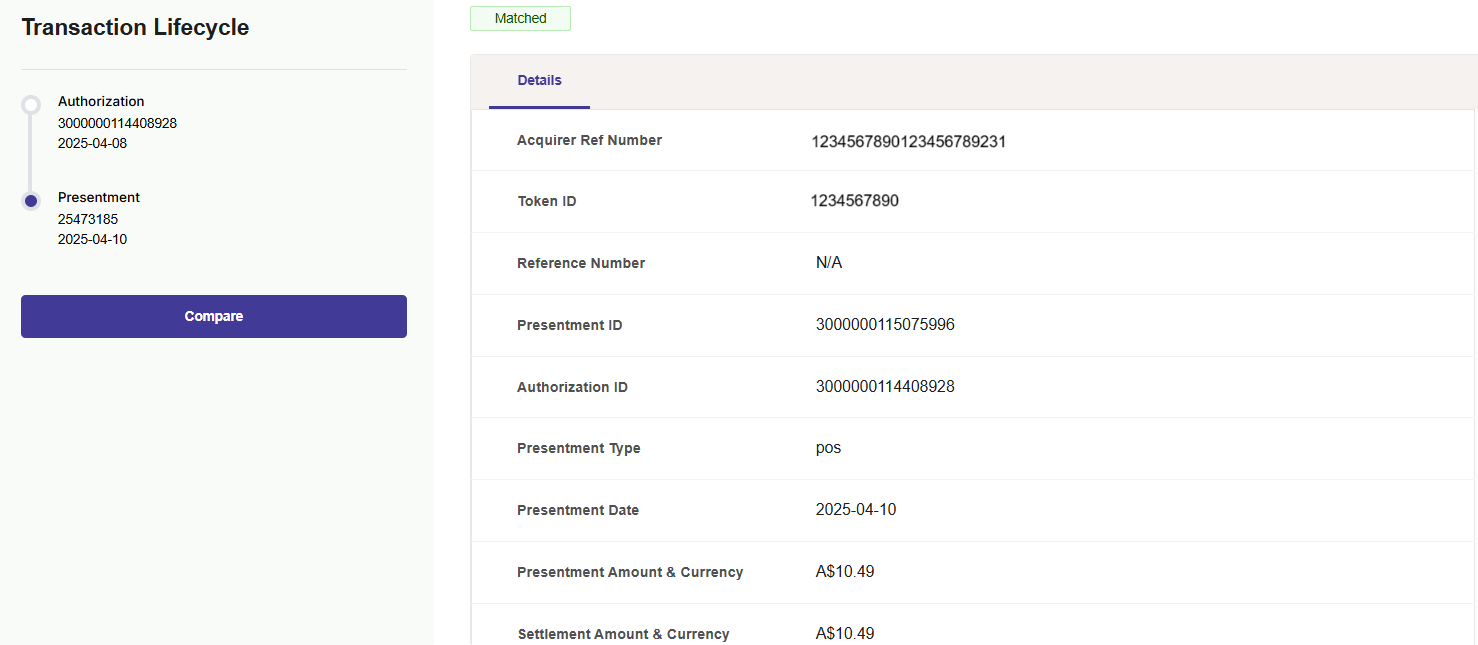
Figure 11: Transaction Lifecyle Screen - for a Matched Transaction
For a description of the fields on this screen, see Transaction Matching Fields.
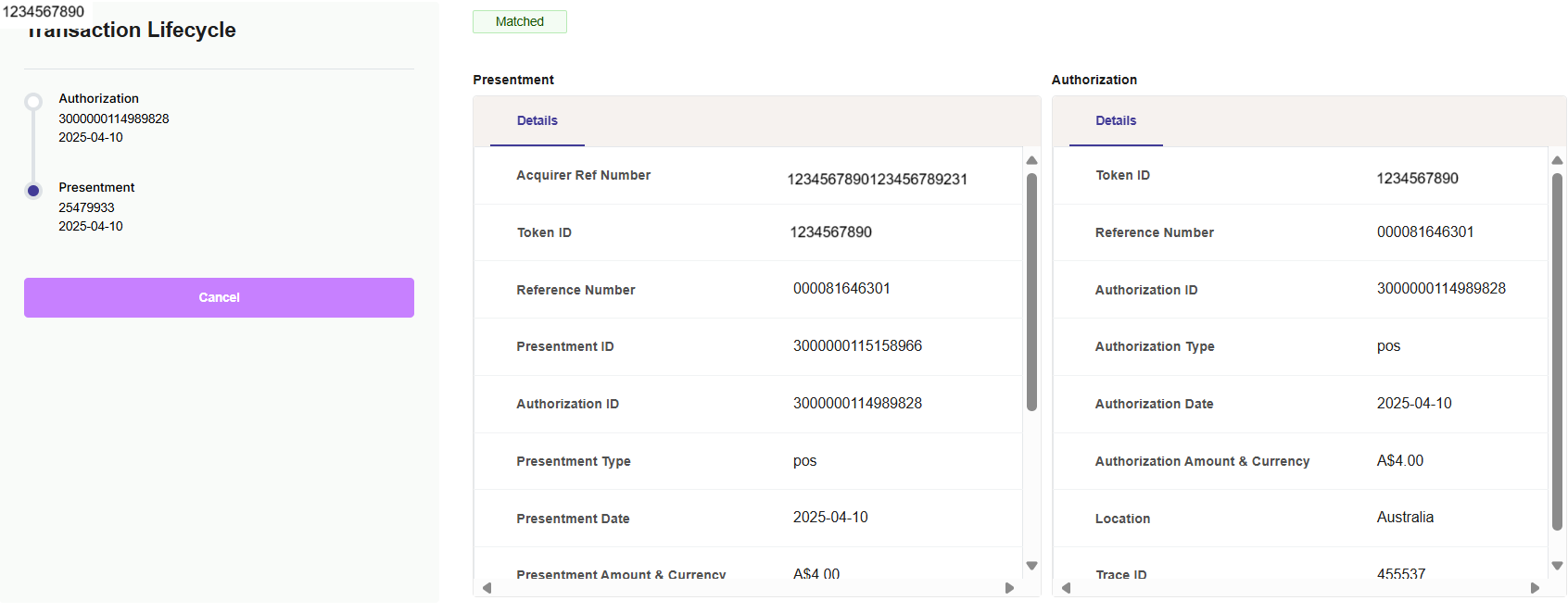
Figure 12: Transaction Lifecyle Screen - comparison for a Matched Transaction
Viewing Unmatched Transactions
-
To view the lifecycle for an unmatched transaction, in the Transaction Matching page, Click the
icon for the record you want to view.
Note that for transactions where authorization has not been received, there will be no matching transaction.
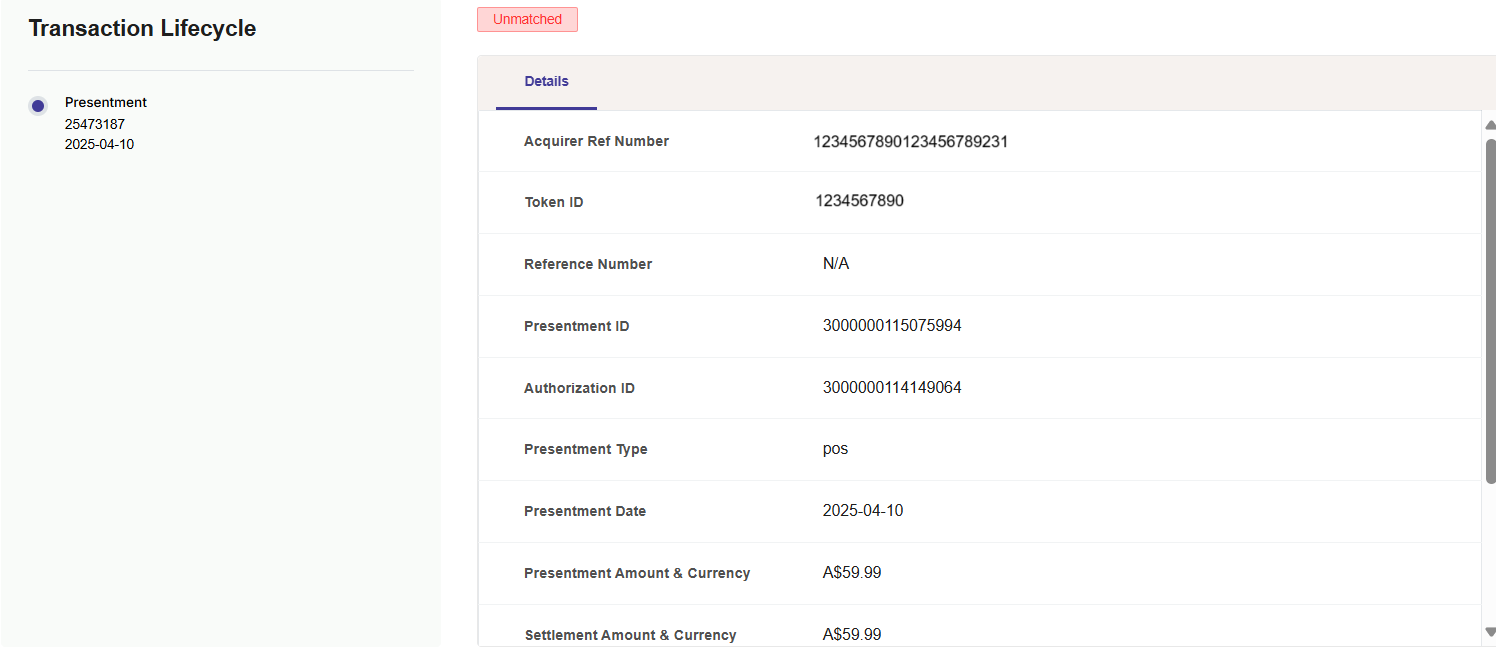
Figure 13: Transaction Lifecyle Screen - no comparison is available for an Unmatched Transaction
Transaction Matching Fields
The table below provides more details on the fields that are matched. If all fields match, the transaction is listed as Matched.
If any of these fields cannot be matched, the transaction is listed as Unmatched.
|
Field |
Description |
|---|---|
|
Acquirer Reference Number |
The 23-digit Acquirer Reference Number (ARN), which uniquely identifies the Acquiring bank. |
|
Token ID |
The card PAN or token. |
|
Presentment ID |
Scheme ID for the presentment message. |
|
authorization ID |
Scheme ID for the authorization message. |
|
authorization Type |
The type of transaction authorization (for example, Point of Sale or POS). |
|
authorization Date |
The transaction authorization date (in YYYY-MM-DD format). |
|
authorization Amount & Currency |
The authorization amount in the authorization currency. |
|
Settlement Amount & Currency |
The settlement amount in the issuer's default settlement currency. |
|
Location |
The country where the transaction occurred (e.g., Australia). |
|
STAN (System Trace Audit Number) |
A unique identifier assigned to a transaction for tracing and auditing. |
|
Card Input Method |
The card input method of the transaction. |